From consultation to prescription in a few taps
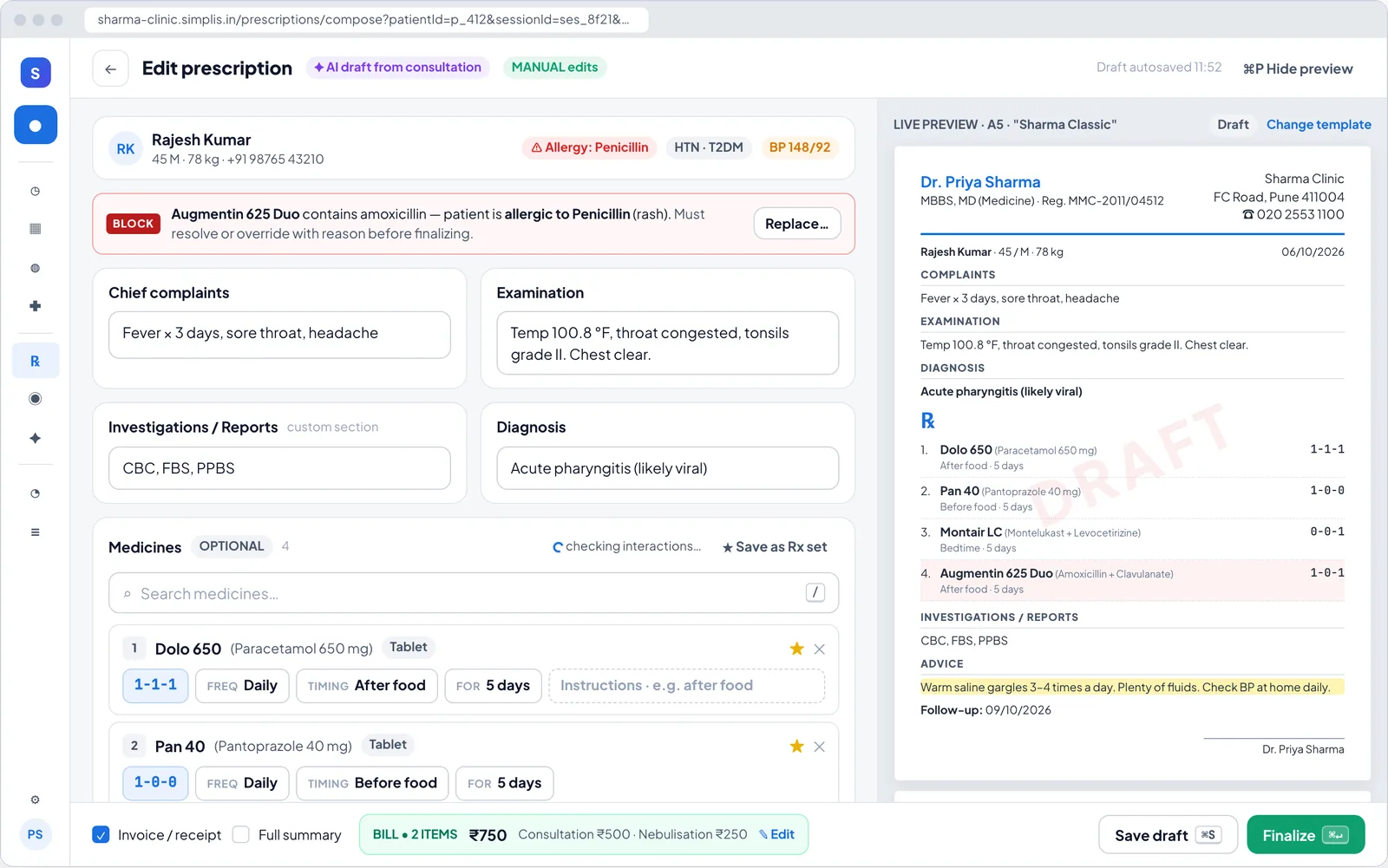
Simplis drafts the prescription from your approved notes — medicines, dose, timing, duration, advice and follow-up. You adjust it, Simplis checks it against the patient’s allergies and other medicines, and you finalize.
Your data is not for sale. Never sold or shared with pharma, marketers or data brokers. How we handle data
What you get
Consult-to-Rx in Simplis
Indian brand medicine search
Search a catalogue of over 3.7 lakh Indian medicines by brand or generic name. The generic name prints alongside the brand.
Safety checks before you sign
Allergy conflicts and drug–drug interactions are flagged with severity. Blocking alerts need a reason to override.
Your usual medicines, one tap away
Pin frequently used medicines as quick meds and save combinations as Rx sets for common diagnoses.
Indian dosing conventions
1-0-1 style dosing, before/after food timing, and duration in days — the way patients read prescriptions in India.
Live print preview
See exactly how the prescription will print on your template or letterhead while you write it.
Send on WhatsApp or print
Finalize and share the PDF to the patient’s WhatsApp, or print it at the desk.
How it works
In your clinic, step by step
- 1
Approve your notes
Complaints, examination and diagnosis carry into the prescription.
- 2
Review the AI draft
Add, change or remove medicines; reuse an Rx set.
- 3
Clear the alerts
Resolve any allergy or interaction alert.
- 4
Finalize and share
Print, download the PDF, or send it on WhatsApp.
FAQ
Consult-to-Rx: common questions
Can I write a prescription without recording?
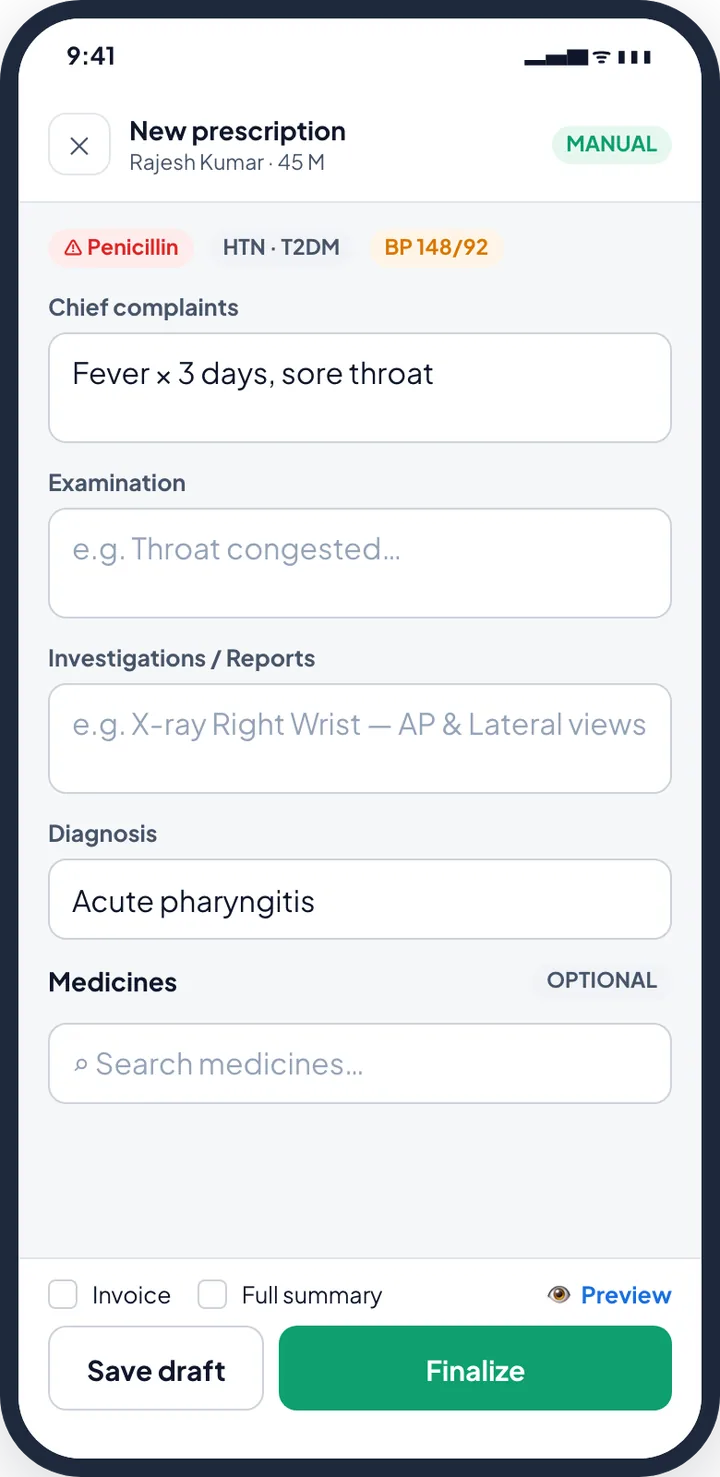
Yes. You can write a prescription manually at any time, using medicine search, quick meds and Rx sets.
How are drug interactions checked?
When a prescription has two or more catalogue medicines, Simplis checks them for known interactions and against the patient’s recorded allergies, and shows the severity. You decide how to proceed.
Can I add a medicine that is not in the catalogue?
Yes. Enter it manually and save it as a quick med for next time — useful for compounded, Ayurvedic or homeopathic preparations.
Does the printed prescription show my registration number?
Yes. Your name, qualifications and registration number appear in the template header, or you can print on your own letterhead.
Related features
Prescription templates & letterhead
Print on your own letterhead or a customisable template with your logo, colours, fonts and signature.
Learn more →AI clinical notes
Talk to your patient as usual. Simplis drafts structured SOAP notes for you to review and approve.
Learn more →WhatsApp reminders
Booking confirmations, reminders, running-late alerts and prescriptions sent to patients on WhatsApp.
Learn more →
Try consult-to-rx in your OPD
Set up in minutes with your specialty template. First month free — ₹0 today.